Transmit and receive Slow Scan Television images live from your rig — no external software required. 22 modes, modern Qt 6 GUI, cross-platform.
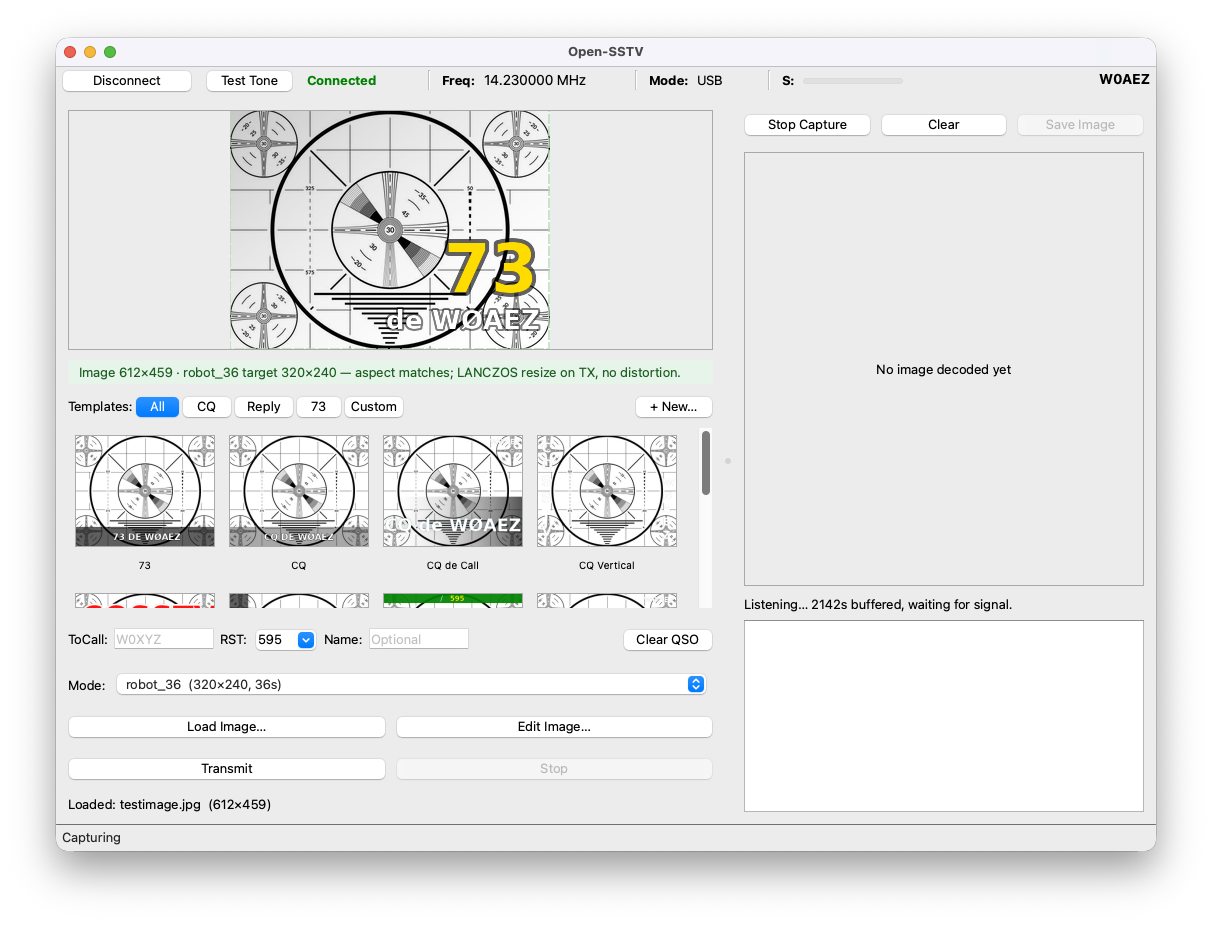
A complete transceiver stack — from image editing to rig control — all in one open-source application.
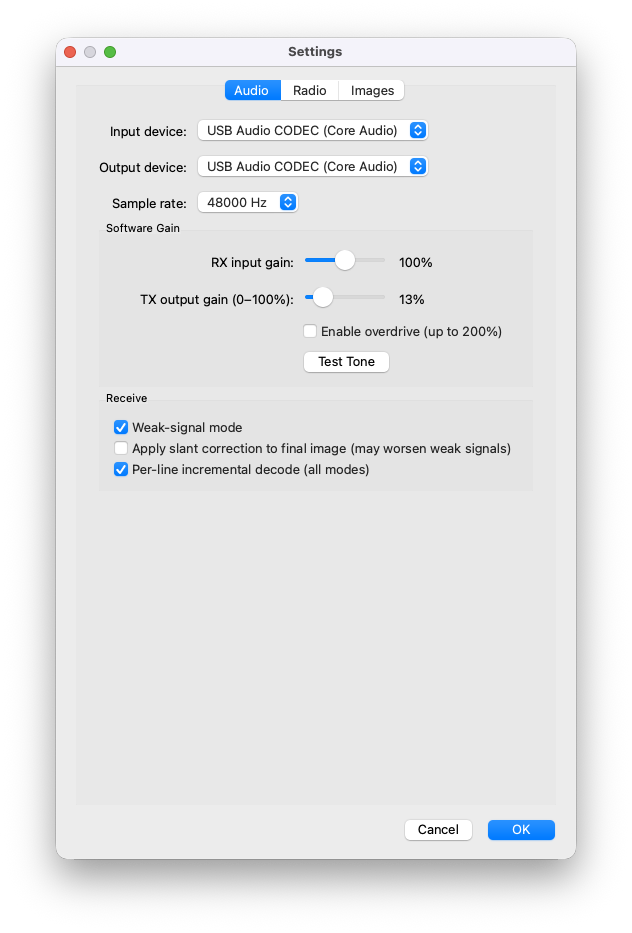
Live TX with real-time audio generation, per-mode watchdog timers, and 0–100% output gain (expandable to 200% with overdrive). Supports all 22 SSTV modes.
Incremental per-line decode with O(1) work per line. Weak-signal mode works down to ~0 dB SNR on Robot 36. Auto-saves with timestamped filenames.
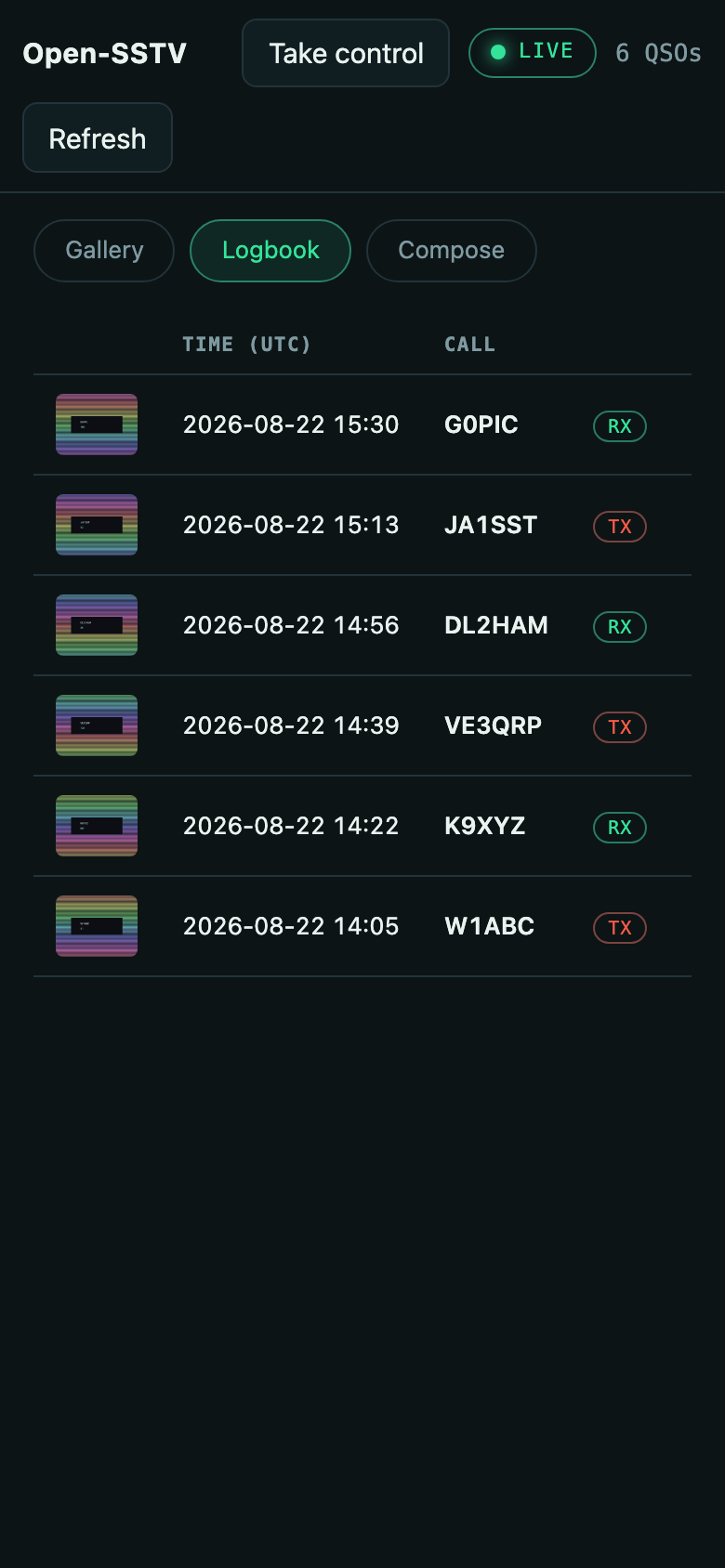
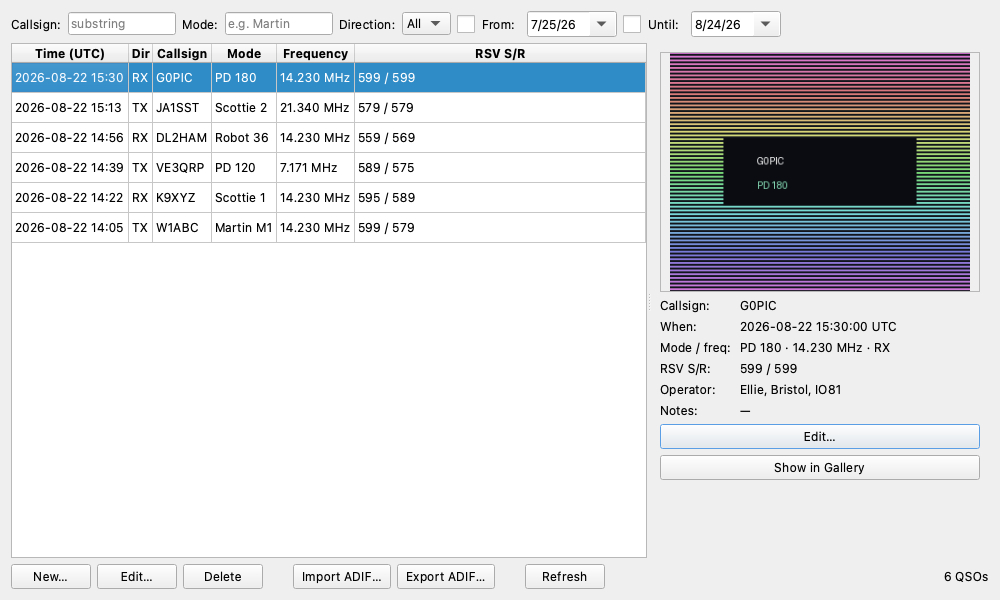
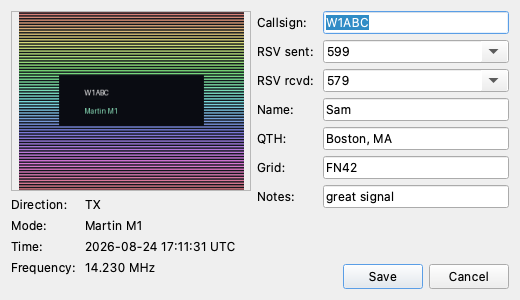
Every contact captured with its image — a pre-filled log dialog at TX/RX completion, a detached logbook window, and ADIF 3.1.5 import/export for HRD, N1MM, LoTW, eQSL, and QRZ.com.
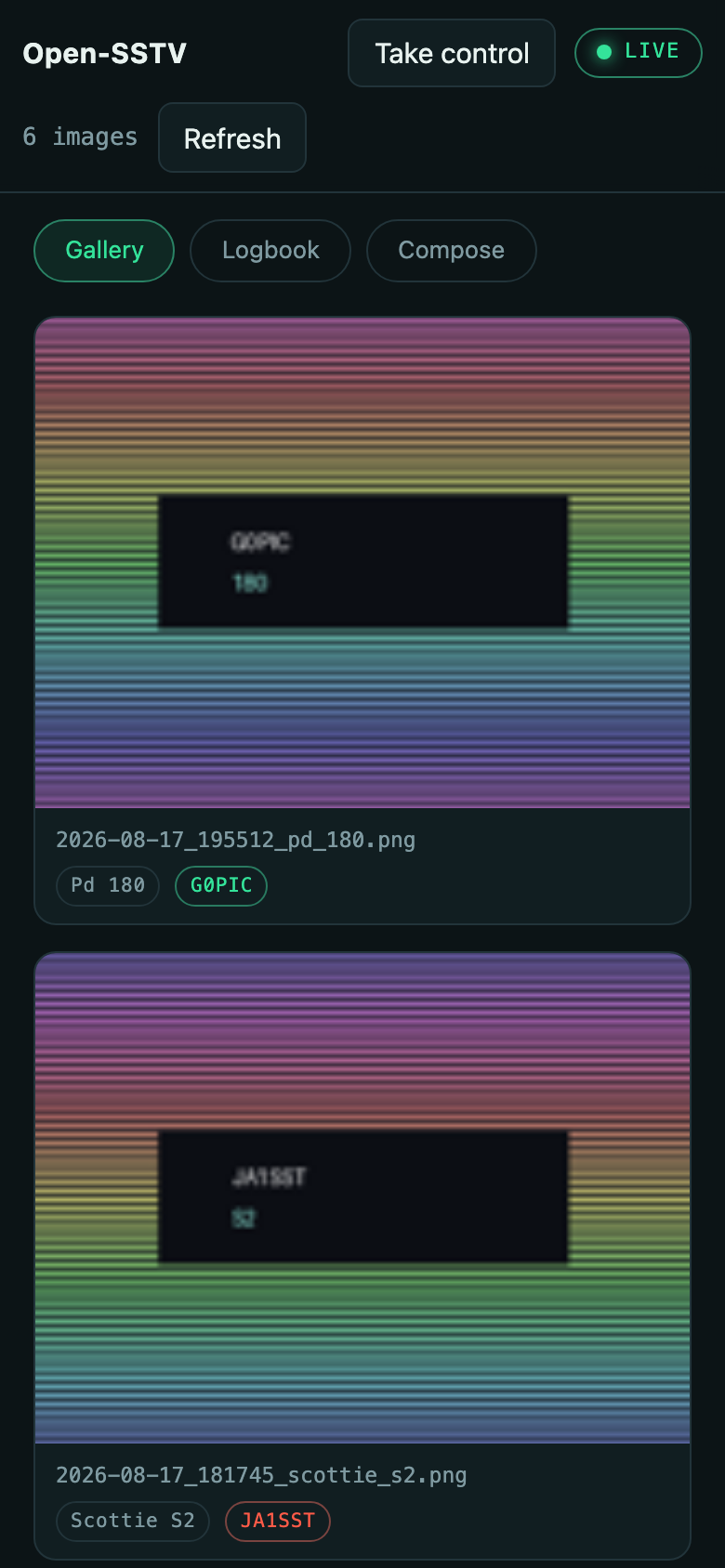
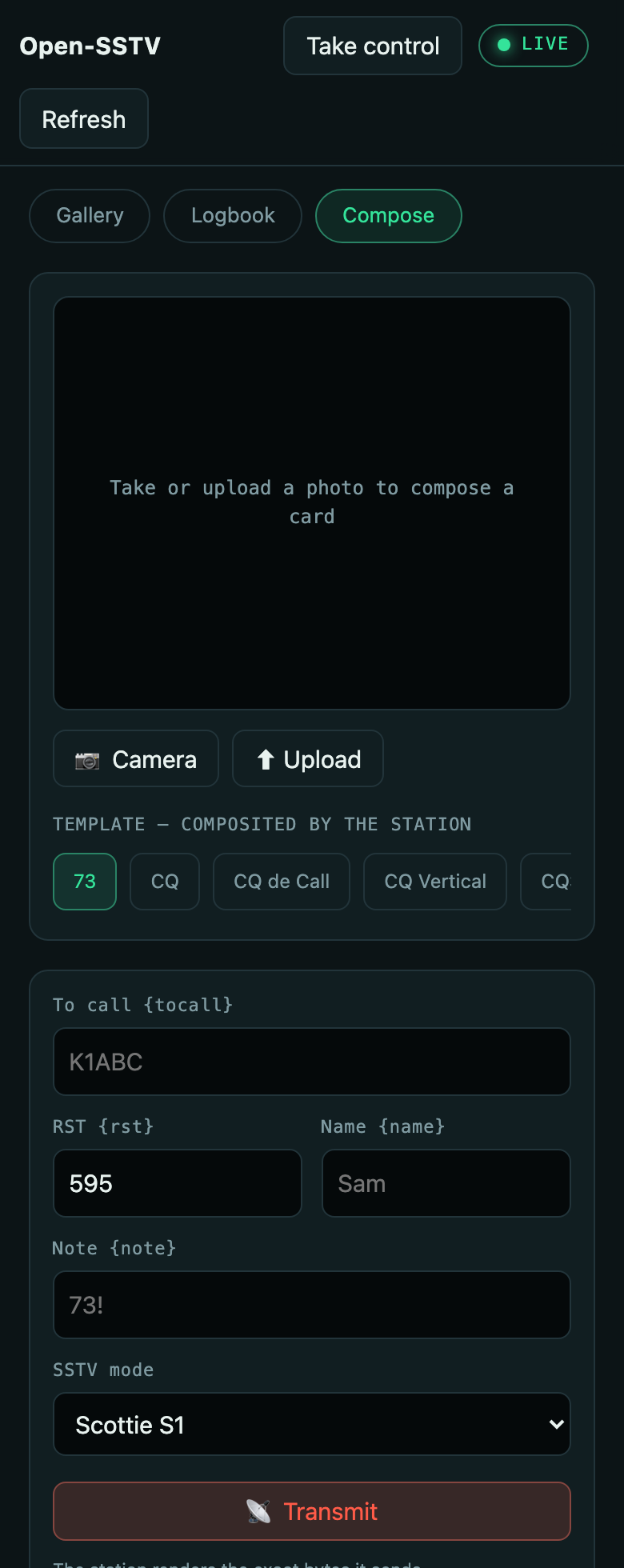
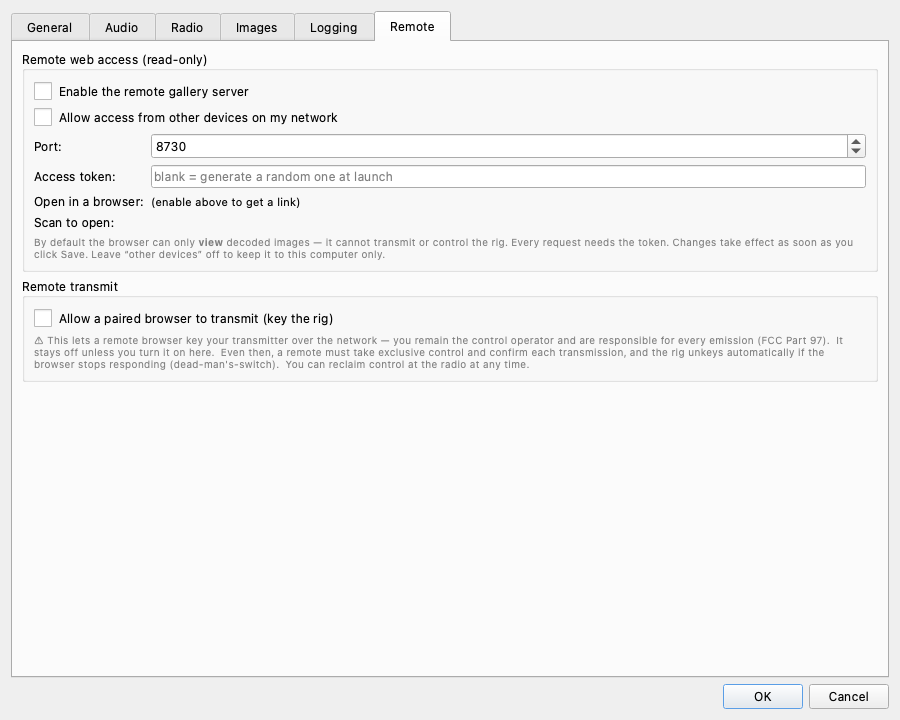
Run your station from a phone or laptop browser. Watch decodes paint in live, browse the gallery and logbook, and — behind an explicit opt-in and a connected CAT rig — shoot a photo, frame it, and transmit. Off by default, token-protected, with a single-operator lease and a dead-man's-switch that unkeys the rig if the browser goes quiet.
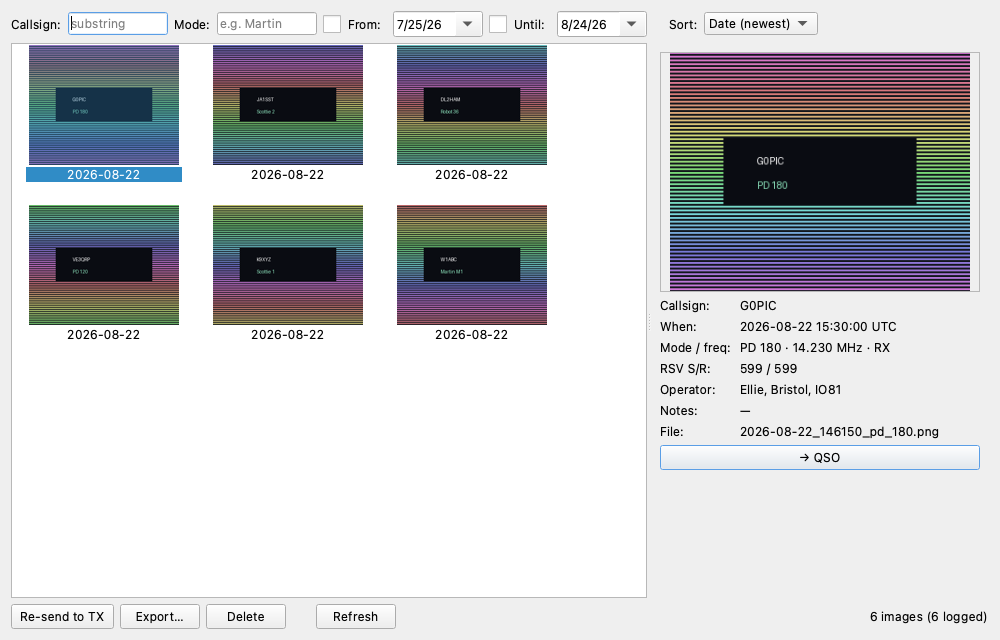
Browse received and transmitted images in a thumbnail grid joined to your logbook — filter and group by callsign, mode, or date, jump to a contact, re-send to TX, export, or delete. Lazy disk-cached thumbnails stay smooth into the tens of thousands.
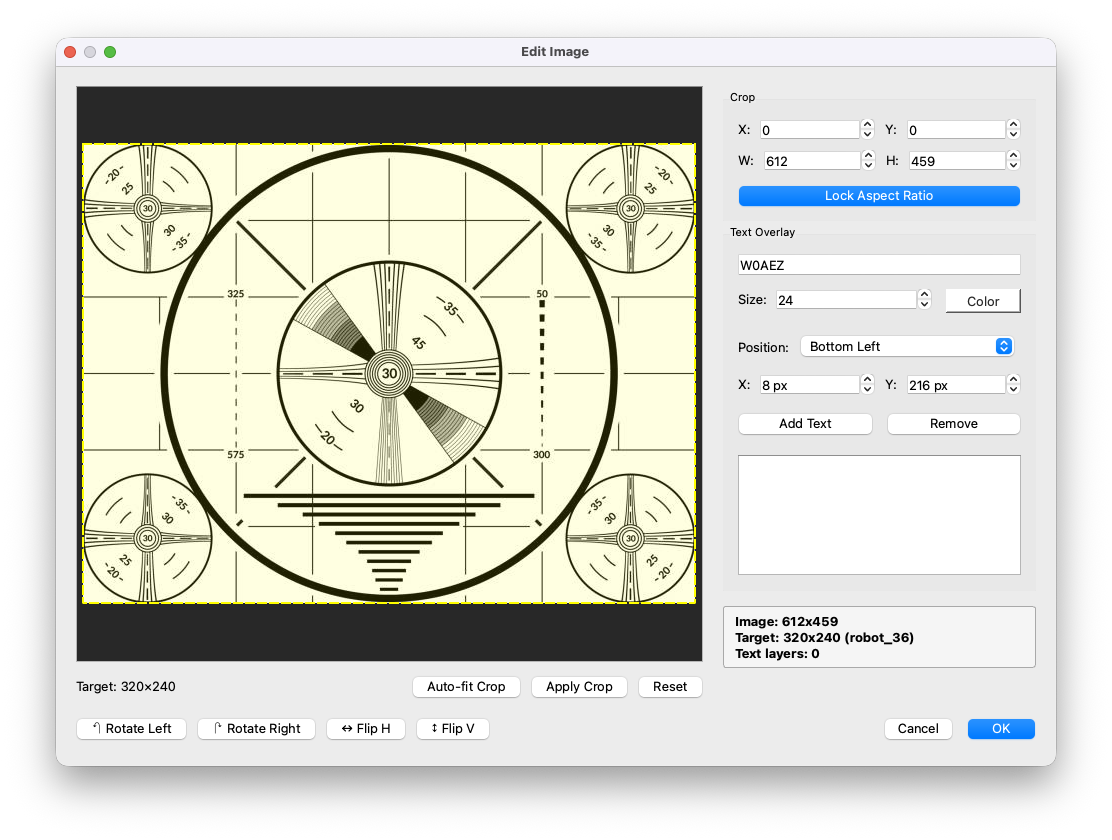
Aspect-ratio locked crop, rotate, flip, and text overlays that auto-shrink to fit — all driven by the v0.3 layered template compositor.
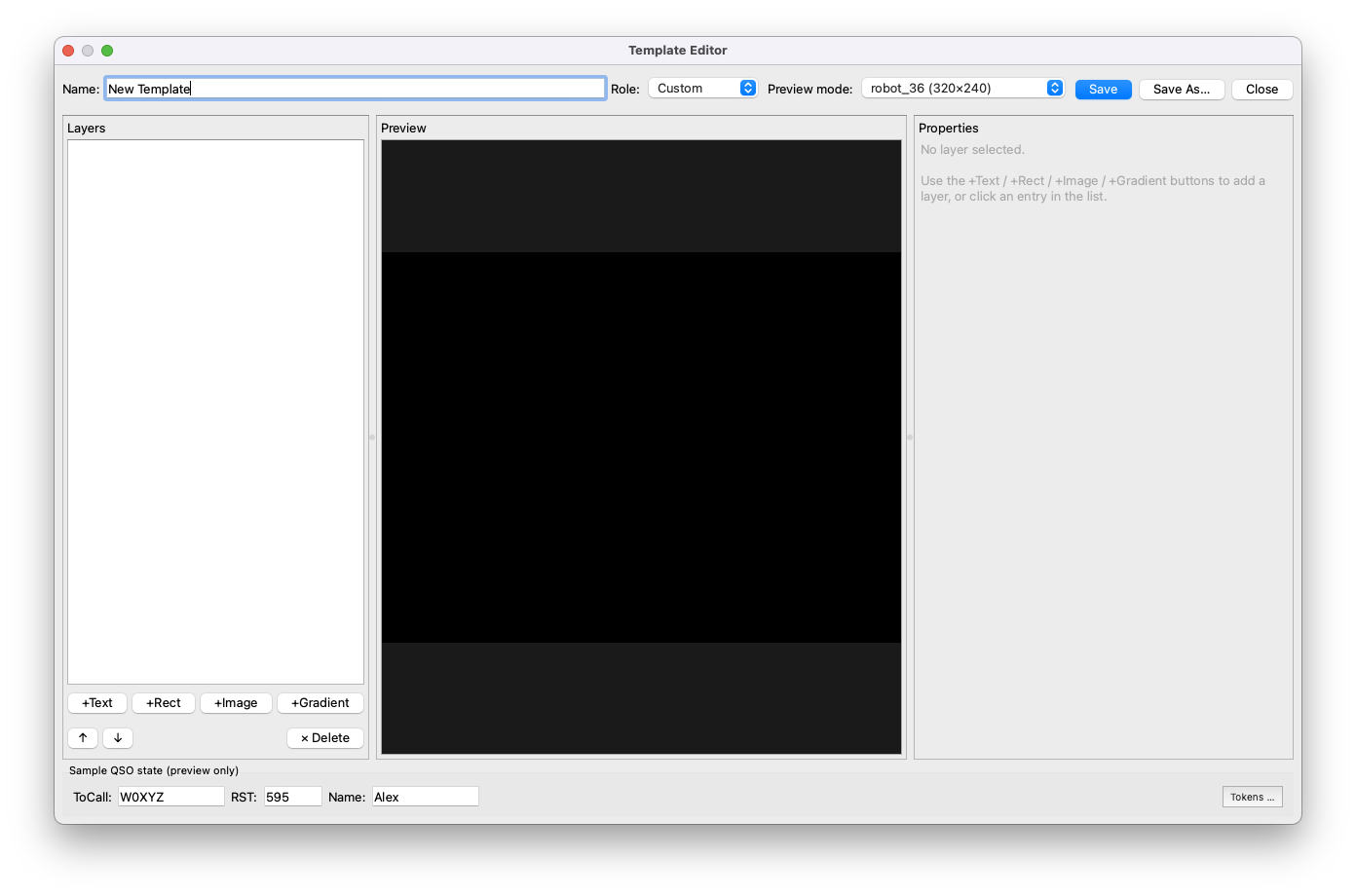
Live template gallery filtered by role (CQ / Reply / 73 / Custom). Three-panel form editor with seven layer types — photo, text, rect, gradient, pattern, station image, and an rx_image slot that pins one click of a received thumbnail straight into the next reply. MMSSTV-style %c and named {callsign} tokens, slashed-zero callsigns, stacked vertical text, eight shipped fonts, and shareable TOML files.
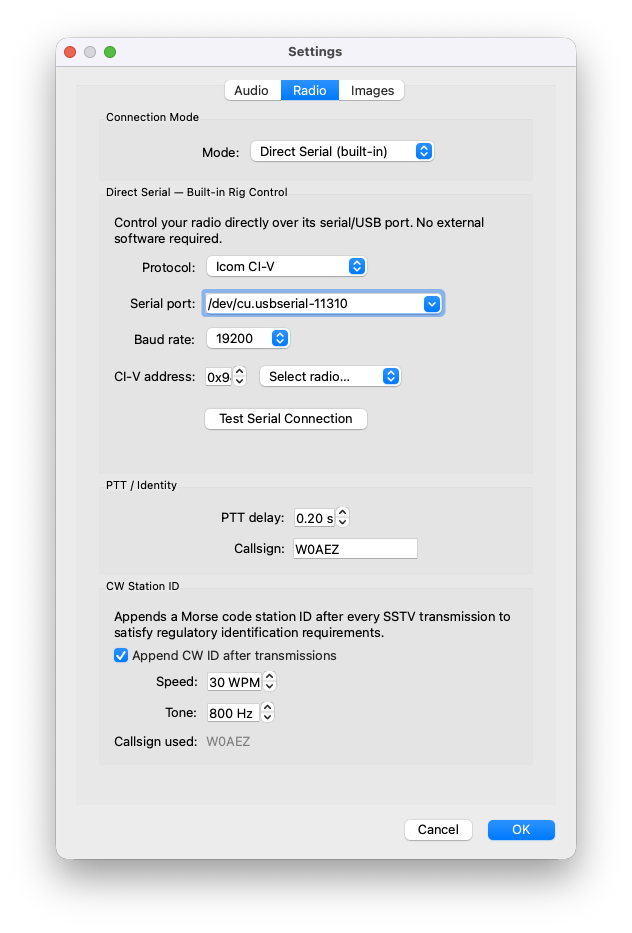
rigctld TCP client with auto-launch. Direct serial for Icom CI-V, Kenwood, Yaesu, and DTR/RTS PTT. TCI WebSocket for ExpertSDR2/3, AetherSDR, Lyra (Hermes Lite 2), and the SunSDR2 family — one connection carries CAT and audio. FlexRadio 6000-series over the SmartSDR TCP API, no daemon in between. Frequency & S-meter polling at 1 Hz.
Floating spectrogram window over the 0–4 kHz SSTV audio band. Cool palette for RX, warm palette for TX, with dotted reference lines at the 1200 / 1500 / 1900 / 2300 Hz SSTV tones. Toggle from View → Waterfall; hidden (not destroyed) so scroll history is preserved across openings.
One-click tune to any standard SSTV calling frequency. Twelve entries covering HF (80/40/20/17/15/10 m), VHF (2 m), and UHF (70 cm) with the correct mode and passband — 20 m 14.230 MHz USB shown in bold as the global primary. Tune commands serialise on the rig-poll thread so they can't race with status polling.
Opt-in lossless capture of the raw received audio alongside each decoded image — WAV (stdlib) or FLAC (~40 % smaller, optional [flac] extra). Re-decode marginal signals later through the CLI or a different decoder. Lossy formats are deliberately excluded because compression artefacts degrade re-decode quality.
One-click Export to Audio on the TX panel writes a WAV of the exact composite Transmit would emit — template, photo, QSO overlays, and TX banner — without keying the radio. Decode Audio on the RX panel reverses the trip: pick a .wav or .flac and the result lands in the gallery alongside live decodes. The GUI counterpart to open-sstv-encode / open-sstv-decode.
Automatic Morse code station identification between transmissions. Configurable callsign, keeps you legal on the air without extra hardware.
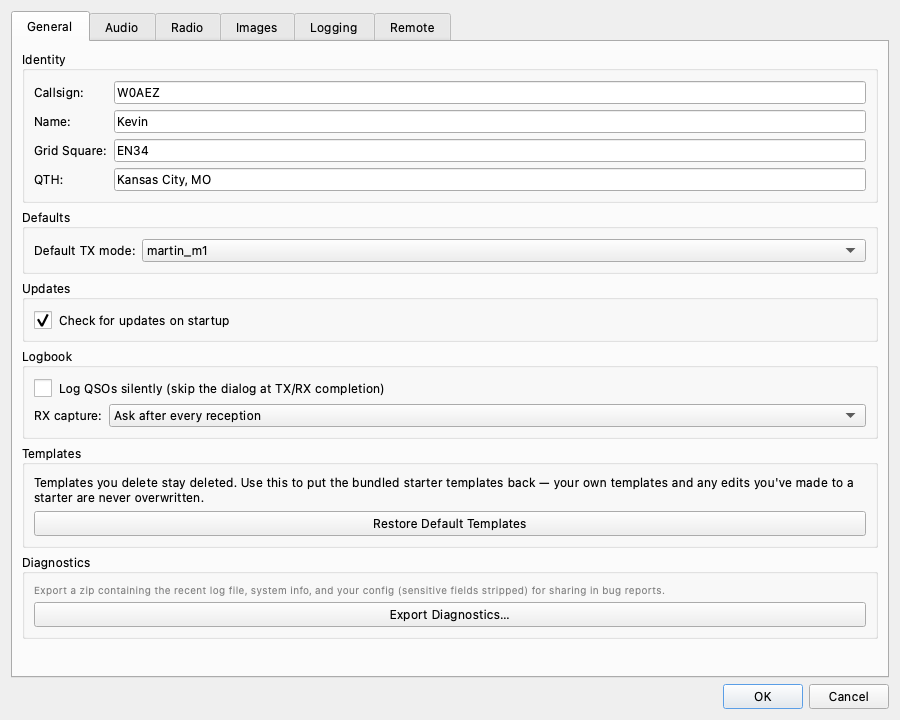
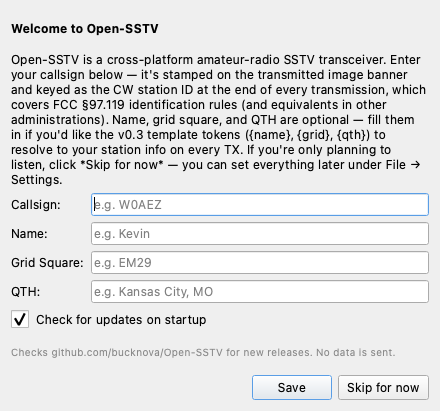
Platform-native config directories. Persists callsign, audio devices, mic gain, CW settings, and TX mode across sessions with resilient fallbacks.
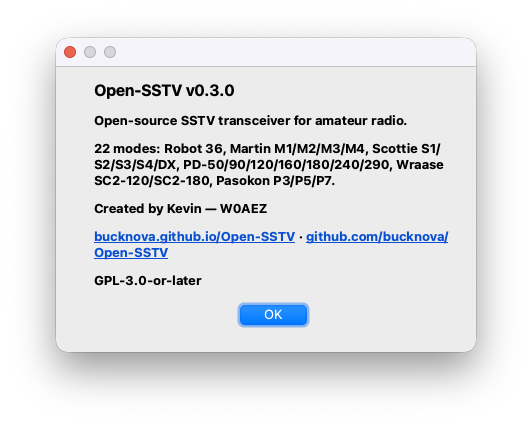
From the classic Robot 36 to the high-resolution PD-290, Open-SSTV has complete encode and decode support for every major SSTV mode in use today.
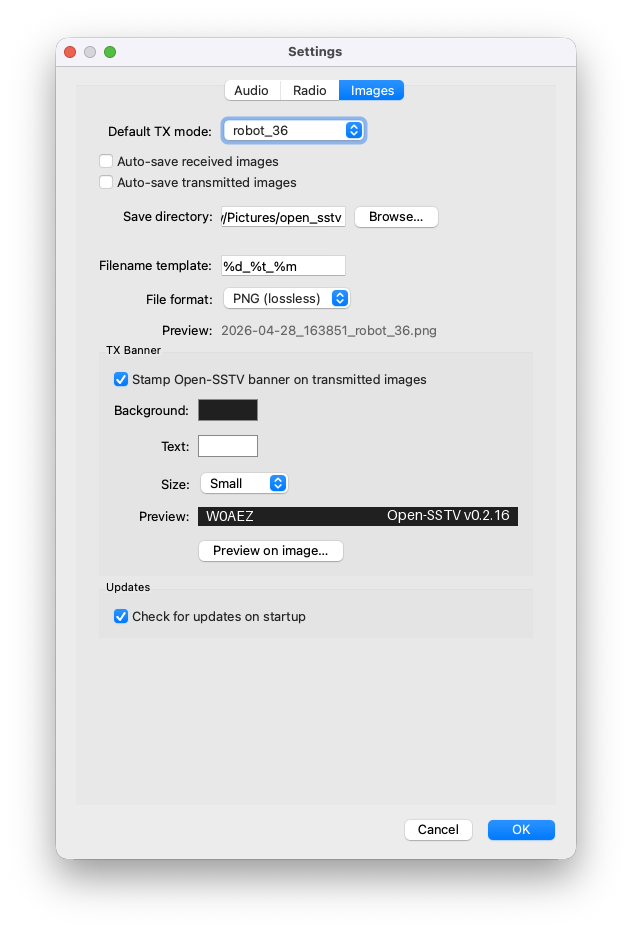
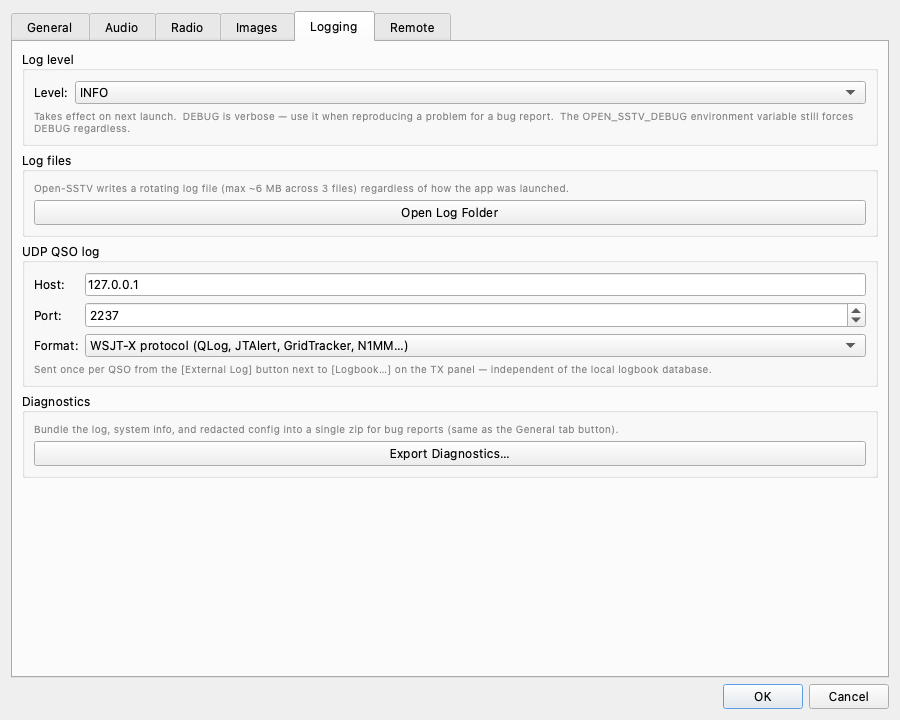
Click any screenshot to enlarge. Rendered on Qt's cross-platform style rather than any one OS's window chrome, so they match what Linux, macOS, and Windows users all see.
Open-SSTV is actively developed. Here's what's on the horizon.
v0.3 ships a form-based template editor; a future release will add direct manipulation — drag layers, resize with handles, and snap to grid right on the live preview.
Persist every contact with timestamp, mode, frequency, RST, and the TX/RX images themselves. Export to ADIF for upload to LoTW, eQSL, and your favourite logging app.
Browse and download community-contributed templates from inside the app — TOML files are already shareable today, this just makes discovery one click.
Pre-built binaries for Windows, macOS, and Linux — no Python install required. Or run from source for development.
Extract the zip (or chmod +x the AppImage) and launch — no Python required.
Linux needs glibc 2.35+ on x86_64 (Ubuntu 22.04 or newer) and glibc 2.31+ on ARM64
(Raspberry Pi OS Bullseye or newer). The AppImage can update itself with AppImageUpdate.
Open-SSTV.app bundle.
Because it's ad-hoc signed (Apple notarization is on the roadmap), macOS Gatekeeper
will refuse to launch it until you clear the quarantine flag that Safari/Chrome/Finder
stamps on every download. Run this once per download, then double-click the app
in Finder forever after:
library load disallowed by system policy, the
quarantine flag wasn't fully stripped. Re-run xattr -cr Open-SSTV.app —
the whole bundle must be the target, not a file inside it.
macOS Intel is not currently built; use the source install to the right, or see all releases.
Requires Python 3.11+, PySide6 ≥ 6.6, and PortAudio. Also installs the open-sstv-encode and open-sstv-decode CLI tools for headless / batch workflows. See the README for Hamlib setup and Windows notes.